IEH2 [ver. 3.1.2.2] Hotfix
Build 22159343
Released Mar 2, 2026
Monsters
- Changed
 Bat
Bat - As a pet
- −Normal · Can’t be caught · Upgrade's Available Queue + 10 Right-Click on an upgrade to assign Queue, while Shift + Right-Click to remove Queue.
- −Blue · Can’t be caught · Auto-Disassemble Equipment Slot + 10 Click an equipment in dictionary to assign/ remove auto-disassemble when picked up.
- −Red · Can’t be caught · Auto-Disassemble Equipment Slot + 10 Click an equipment in dictionary to assign/ remove auto-disassemble when picked up.
- −Green · Can’t be caught · Auto-Disassemble Equipment Slot + 10 Click an equipment in dictionary to assign/ remove auto-disassemble when picked up.
- −Purple · Can’t be caught · Automatically buy Guild Abilities. Shift + Up/Down arrow key on a guild ability to increase/decrease the target level.
- +Normal · Throwing Net · Upgrade's Available Queue + 10 Right-Click on an upgrade to assign Queue, while Shift + Right-Click to remove Queue.
- +Blue · Ice Net · Auto-Disassemble Equipment Slot + 10 Click an equipment in dictionary to assign/ remove auto-disassemble when picked up.
- +Red · Fire Net · Auto-Disassemble Equipment Slot + 10 Click an equipment in dictionary to assign/ remove auto-disassemble when picked up.
- +Green · Light Net · Auto-Disassemble Equipment Slot + 10 Click an equipment in dictionary to assign/ remove auto-disassemble when picked up.
- +Purple · Dark Net · Automatically buy Guild Abilities. Shift + Up/Down arrow key on a guild ability to increase/decrease the target level.
- As a pet
- Changed
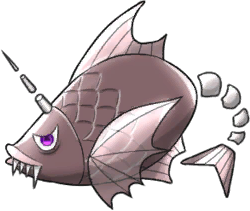 Devilfish
 - As a pet
- −Normal · Can’t be caught · Alchemy's Available Queue + 10 Right-Click on a potion to assign Queue, while Shift + Right-Click to remove Queue.
- −Blue · Can’t be caught · Automatically buy Dictionary Upgrades. Shift + Up/Down arrow key on a dictionary upgrade to increase/decrease the target level.
- −Red · Can’t be caught · Automatically disassemble equipment as soon as you craft it in Dictionary.
- −Green · Can’t be caught · Automatically buy Blessings randomly.
- −Purple · Can’t be caught · Automatically disassemble common Talisman as soon as you get it.
- +Normal · Throwing Net · Alchemy's Available Queue + 10 Right-Click on a potion to assign Queue, while Shift + Right-Click to remove Queue.
- +Blue · Ice Net · Automatically buy Dictionary Upgrades. Shift + Up/Down arrow key on a dictionary upgrade to increase/decrease the target level.
- +Red · Fire Net · Automatically disassemble equipment as soon as you craft it in Dictionary.
- +Green · Light Net · Automatically buy Blessings randomly.
- +Purple · Dark Net · Automatically disassemble common Talisman as soon as you get it.
- As a pet
- Changed
 Fairy
Fairy - As a pet
- −Normal · Can’t be caught · Unleashes a toggle in Rebirth tab to enable Auto Rebirth Tier 1.
- −Blue · Can’t be caught · Automatically retry the current dungeon when you clear it.
- −Red · Can’t be caught · Automatically open treasure chests in dungeon.
- +Normal · Throwing Net · Unleashes a toggle in Rebirth tab to enable Auto Rebirth Tier 1.
- +Blue · Ice Net · Automatically retry the current dungeon when you clear it.
- +Red · Fire Net · Automatically open treasure chests in dungeon.
- As a pet
- Changed
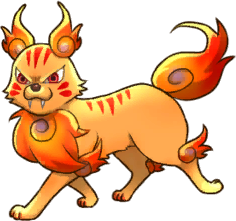 Flametiger
 - As a pet
- −Normal · Can’t be caught · Upgrade's Available Queue + 10 Right-Click on an upgrade to assign Queue, while Shift + Right-Click to remove Queue.
- −Blue · Can’t be caught · Automatically switch research to another project when current research is maxed. It also automatically activates the lowest-level research whenever there is an available slots.
- −Red · Can’t be caught · When you clear a mission, the same mission will be cleared on lower difficulties.
- −Green · Can’t be caught · Enable Auto Rebirth Tier 4 (Needs Normal Fairy Active)
- −Purple · Can’t be caught · Automatically create and disassemble Minor Health Potions to restore Nitro to max when Nitro runs out. (Needs Blue Magicslime Active, [Advanced Auto-Disassemble Potion] in Epic Store and enough essences to meet max Nitro)
- +Normal · Throwing Net · Upgrade's Available Queue + 10 Right-Click on an upgrade to assign Queue, while Shift + Right-Click to remove Queue.
- +Blue · Ice Net · Automatically switch research to another project when current research is maxed. It also automatically activates the lowest-level research whenever there is an available slots.
- +Red · Fire Net · When you clear a mission, the same mission will be cleared on lower difficulties.
- +Green · Light Net · Enable Auto Rebirth Tier 4 (Needs Normal Fairy Active)
- +Purple · Dark Net · Automatically create and disassemble Minor Health Potions to restore Nitro to max when Nitro runs out. (Needs Blue Magicslime Active, [Advanced Auto-Disassemble Potion] in Epic Store and enough essences to meet max Nitro)
- As a pet
- Changed
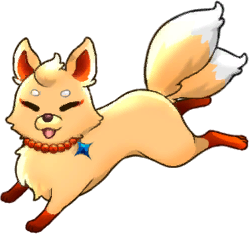 Fox
Fox - As a pet
- −Normal · Can’t be caught · Upgrade's Available Queue + 10 Right-Click on an upgrade to assign Queue, while Shift + Right-Click to remove Queue.
- −Blue · Can’t be caught · Auto-Disassemble Equipment Slot + 10 Click an equipment in dictionary to assign/ remove auto-disassemble when picked up.
- −Red · Can’t be caught · Automatically increase skill's rank.
- −Green · Can’t be caught · Enable Auto Rebirth Tier 2 (Needs Normal Fairy Active)
- +Normal · Throwing Net · Upgrade's Available Queue + 10 Right-Click on an upgrade to assign Queue, while Shift + Right-Click to remove Queue.
- +Blue · Ice Net · Auto-Disassemble Equipment Slot + 10 Click an equipment in dictionary to assign/ remove auto-disassemble when picked up.
- +Red · Fire Net · Automatically increase skill's rank.
- +Green · Light Net · Enable Auto Rebirth Tier 2 (Needs Normal Fairy Active)
- As a pet
- Changed
 Magicslime
 - As a pet
- −Normal · Can’t be caught · Automatically restore Utility items that you have equipped.
- −Blue · Can’t be caught · Enable Shift+D key to disassemble a potion while alchemising it.
- −Red · Can’t be caught · Automatically expand Mysterious Water Cap.
- −Green · Can’t be caught · Automatically buy Area/Dungeon Prestige Upgrades. Shift + Up/Down arrow key on a prestige upgrade to increase/decrease the target level. It affects all of the areas/dungeons.
- −Purple · Can’t be caught · Automatically increase building's level.
- +Normal · Throwing Net · Automatically restore Utility items that you have equipped.
- +Blue · Ice Net · Enable Shift+D key to disassemble a potion while alchemising it.
- +Red · Fire Net · Automatically expand Mysterious Water Cap.
- +Green · Light Net · Automatically buy Area/Dungeon Prestige Upgrades. Shift + Up/Down arrow key on a prestige upgrade to increase/decrease the target level. It affects all of the areas/dungeons.
- +Purple · Dark Net · Automatically increase building's level.
- As a pet
- Changed
 Slime
Slime - As a pet
- −Normal · Can’t be caught · Automatically pick up dropped Resources.
- −Blue · Can’t be caught · Automatically pick up dropped Materials.
- −Red · Can’t be caught · Automatically pick up dropped Equipment.
- −Green · Can’t be caught · Upgrade's Available Queue + 10 Right-Click on an upgrade to assign Queue, while Shift + Right-Click to remove Queue.
- −Purple · Can’t be caught · Keep Slime Coin until it get maxed cap before buying upgrades with Queue.
- +Normal · Throwing Net · Automatically pick up dropped Resources.
- +Blue · Ice Net · Automatically pick up dropped Materials.
- +Red · Fire Net · Automatically pick up dropped Equipment.
- +Green · Light Net · Upgrade's Available Queue + 10 Right-Click on an upgrade to assign Queue, while Shift + Right-Click to remove Queue.
- +Purple · Dark Net · Keep Slime Coin until it get maxed cap before buying upgrades with Queue.
- As a pet
- Changed
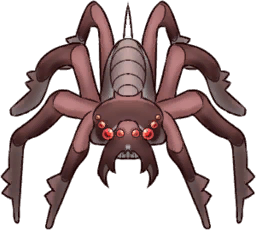 Spider
 - As a pet
- −Normal · Can’t be caught · Automatically use a trap to capture a monster instead of defeating it, while having traps equipped.
- +Normal · Throwing Net · Automatically use a trap to capture a monster instead of defeating it, while having traps equipped.
- As a pet
- Changed
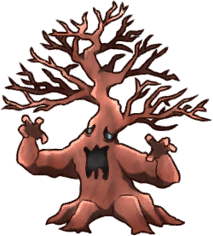 Treant
 - As a pet
- −Normal · Can’t be caught · Upgrade's Available Queue + 10 Right-Click on an upgrade to assign Queue, while Shift + Right-Click to remove Queue.
- −Blue · Can’t be caught · Automatically start and claim expeditions.
- −Red · Can’t be caught · Automatically swap equipped traps for the traps corresponding to the current area monsters if in inventory. (except for locked items)
- −Green · Can’t be caught · Automatically use Proficiency Scrolls for equipped items if you have purchased [Smart Use of Proficiency Scroll] in Epic Store.
- −Purple · Can’t be caught · Enable Auto Rebirth Tier 3 (Needs Normal Fairy Active)
- +Normal · Throwing Net · Upgrade's Available Queue + 10 Right-Click on an upgrade to assign Queue, while Shift + Right-Click to remove Queue.
- +Blue · Ice Net · Automatically start and claim expeditions.
- +Red · Fire Net · Automatically swap equipped traps for the traps corresponding to the current area monsters if in inventory. (except for locked items)
- +Green · Light Net · Automatically use Proficiency Scrolls for equipped items if you have purchased [Smart Use of Proficiency Scroll] in Epic Store.
- +Purple · Dark Net · Enable Auto Rebirth Tier 3 (Needs Normal Fairy Active)
- As a pet
- Changed
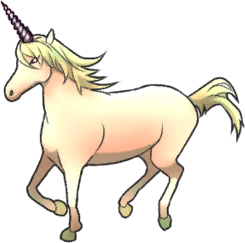 Unicorn
 - As a pet
- −Red · Can’t be caught · Enable Auto Super Dungeon for Auto Rebirth Tier 4+. It will let Active Hero go to a Super Dungeon once just before Auto Rebirthing.
- −Purple · Can’t be caught · Enable Auto Rebirth Tier 5 (Needs Normal Fairy Active)
- +Red · Fire Net · Enable Auto Super Dungeon for Auto Rebirth Tier 4+. It will let Active Hero go to a Super Dungeon once just before Auto Rebirthing.
- +Purple · Dark Net · Enable Auto Rebirth Tier 5 (Needs Normal Fairy Active)
- As a pet